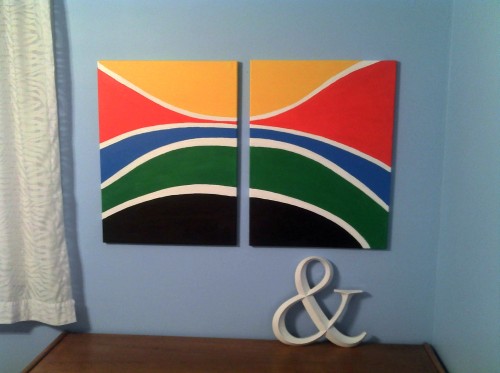
Here it is.
My first painting.
Commissioned by my lovely wife.
Here’s the ColourLovers.com palette we created in preparation.
the personal blog of adam spriggs
Here it is.
My first painting.
Commissioned by my lovely wife.
Here’s the ColourLovers.com palette we created in preparation.
I’ve always kind of chuckled at the South Butt knock-off of the North Face brand.
I decided to design a knock-off knock-off.
Ta-da!
Never Stop Kissing It.
![[the west cheek]](https://sprignaturemoves.com/wp-content/uploads/2011/01/the-west-cheek1.jpg "the-west-cheek")
Adobe Photoshop has a nice posterize command built-in. Not so in Fireworks. I searched high and low for a nice way to do it. In desperation I posted an entry on the official Adobe Fireworks message board and Ilya Razmanov was posted exactly what I needed.
Here’s the steps with pictures to illustrate his technique:
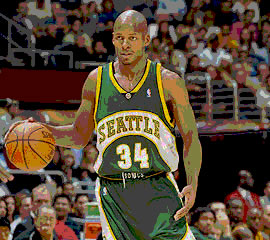
1. Open a cool photo in Fireworks (Yes, Ray Allen is cool, if you didn’t already know).
![[ray allen]](https://sprignaturemoves.com/wp-content/uploads/2008/02/act_ray_allen.jpg)
2. Add this effect: Adjust Color -> Levels
![[posterize example 1]](https://sprignaturemoves.com/wp-content/uploads/2008/02/ff-posterize1.jpg)
3. Set the max value in Output Level to 4
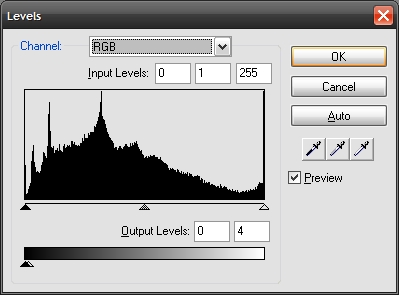
4. Add another effect: Add this effect: Adjust Color -> Levels. This time set the max Input Level to 4

6. Voila! Here’s what you get. You can tweak the levels on both sides to get the amount of posterization you want.