![[pdfsam]](https://sprignaturemoves.com/wp-content/uploads/2008/02/pdfsam.jpg)
OK, so I have PDFs of several receipts that I need to fax into my health insurance company for flexible spending reimbursement. The Windows Fax “printer” doesn’t allow me to string together multiple files, so I’m in a pickle.
I don’t have Adobe Acrobat, so I start Googling with “(combine|merge) (pdf|pdfs) -mac -apple -purchase -demo -trial -shareware -acrobat”
I find pdfsam, download & install it, add my PDFs, set the output file, click Run and, bam, a merged PDF. Sweet.
I tried another option as well — pdftk. If you’d rather go the commandline route, this’ll work just as good.
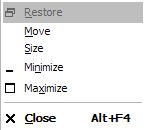 Have you ever had a program show in the taskbar as running, but not show anywhere on the screen? (I’ve only had it happen in a dual-screen environment, but I suppose it could happen with a single screen.)


